
How We Shipped an AI Assistant for One of the Largest Health Organizations in the US
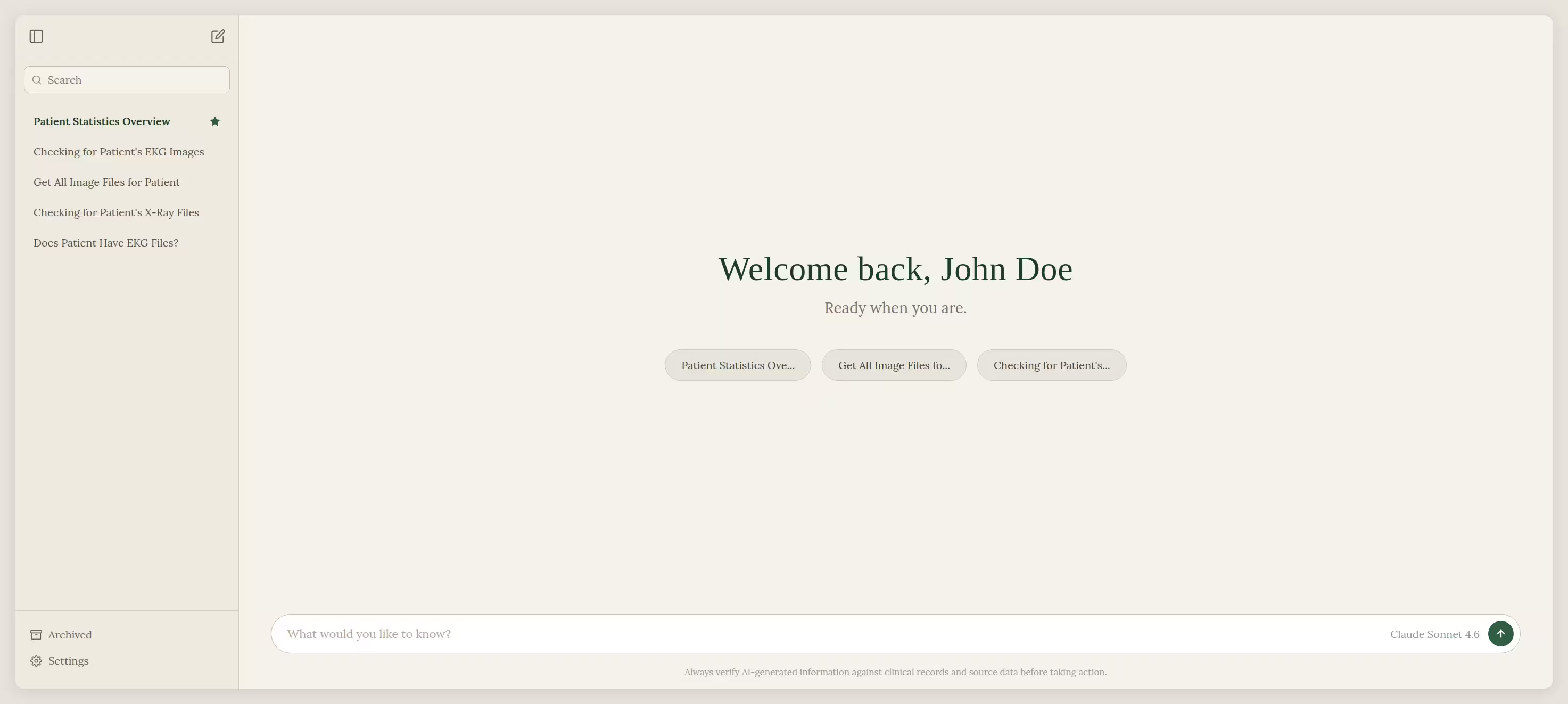
At Codeus, we build software for some of the most demanding clients in healthcare systems across the United States. When your client operates at the scale of managing millions of patient records, every tool you build must earn its place. Clinical staff doesn't have time for an unfocused and clunky interface, or an AI assistant that hallucinates. The bar is sky high, and it should be.
The problem with "AI in Healthcare"
The real problem with most healthcare AI tools isn't access to AI. It's that the AI has no idea what you're looking at.
We live in a time where every product is trying to integrate AI into its everyday features. Healthcare, of course, is no exception, and the pressure to ship something with AI is real.
But most of the tools work on the following principle: a chatbot opens in a new tab, you paste some context info and hope for a useful answer.
The solution: Bring the AI into the Record
Instead of asking staff to leave their workflow, we brought the AI into it. Every conversation is scoped to a specific patient. The AI knows exactly who you're looking at, what data is available, and answers accordingly.
No need to copy and paste the context, or remember what records a patient has. Just a simple, ask and get an answer mechanism.
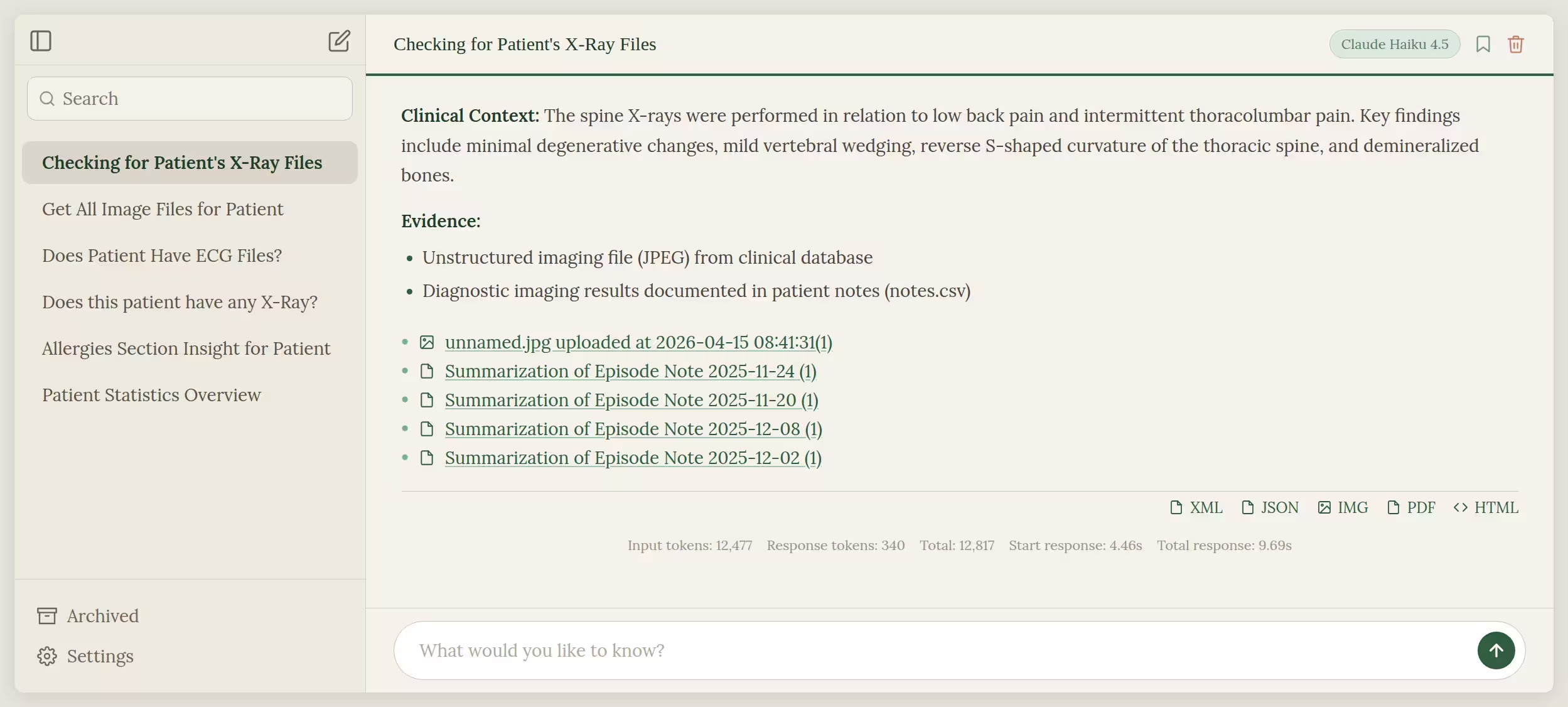
At the scale of millions of patient records, patient-scoped context is not a nice-to-have. One wrong answer grounded in the wrong patient is a clinical safety incident. That is why every response is accompanied by citations to source documents that staff can open and verify. Staff are never asked to trust the assistant blindly. The evidence is always one click away.
Patient-scoped context means the assistant's retrieval is bound to a single patient's record set. Cross-patient data never enters the prompt, by design.
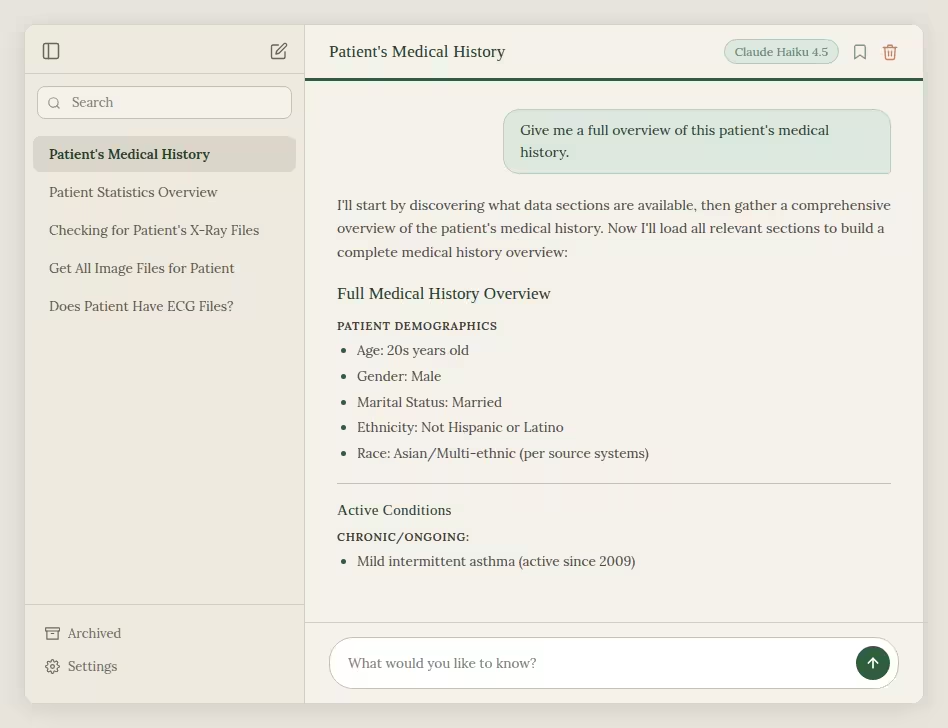
One question. A complete, structured overview pulled from across the entire asset of patient's records.
How the assistant feels in a clinical workflow
The interface is intentionally simple: a conversation list on the left, previous chats surfaced as quick suggestions, and a clean input at the bottom. No clutter, no learning curve.
Streaming & Real-Time Feedback
The real experience starts with you asking questions. Responses stream word by word using a custom typewriter animation built on Vue 3, so staff members aren't staring at a blank screen waiting and wondering if they will actually get an answer. The assistant typically begins responding within 3–4 seconds of submitting a question. Fast enough to keep staff in flow.
On a typical patient query, the assistant processes around 12,000 input tokens worth of patient context in that time.
No Dead Ends
If the response isn't what you needed, or you see the assistant going into a direction you think might be off, you can cancel it in the middle of stream or regenerate. No dead ends.

Every message has options to copy and ask again. Small things that matter when you're in the middle of a busy workflow.
See the Source, Right There
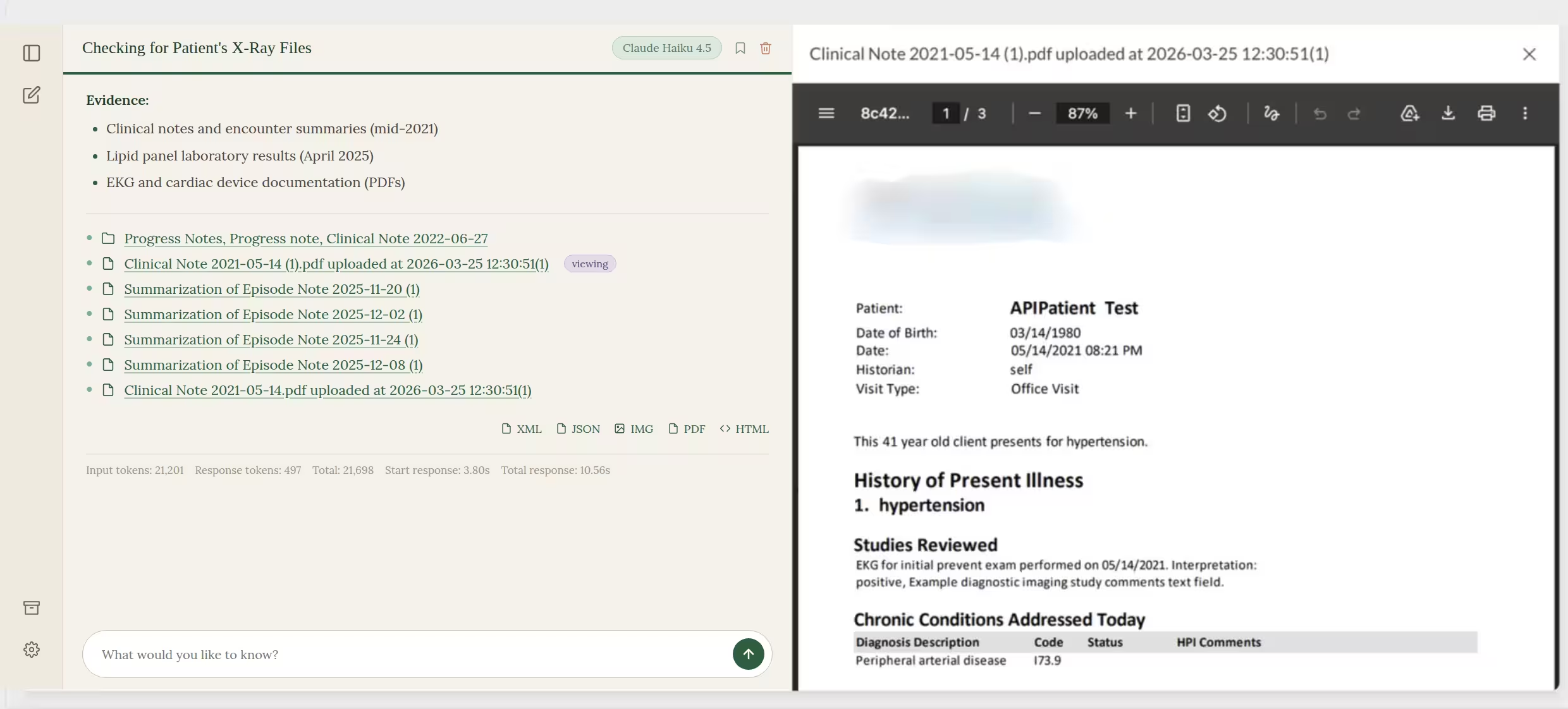
When the assistant cites a source, the file opens in a preview panel next to the conversation — clinical notes, lab results, PDFs, ECG readings, X-ray images. Staff can verify any claim in one click without leaving the chat.
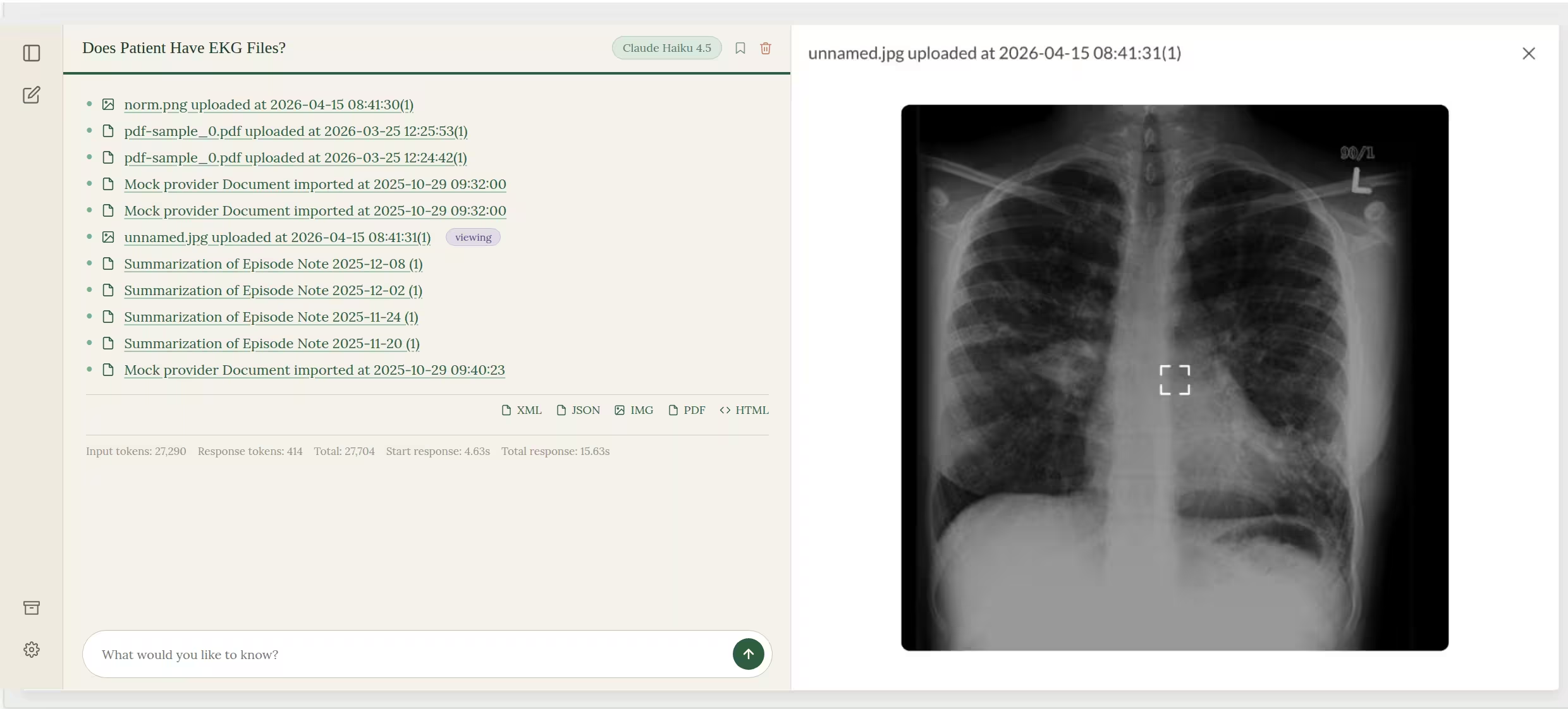
How conversations are organized, searched, and archived
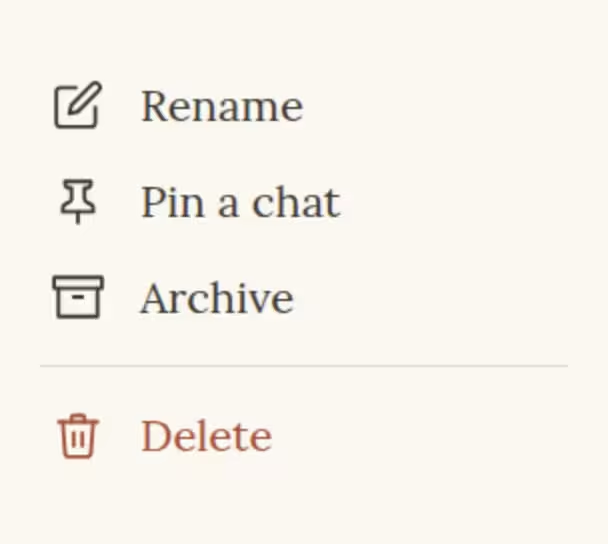
Conversation Management
Every conversation is saved, searchable and fully manageable. Pin the ones you need to come back to, archive the ones you don’t, or delete them entirely.
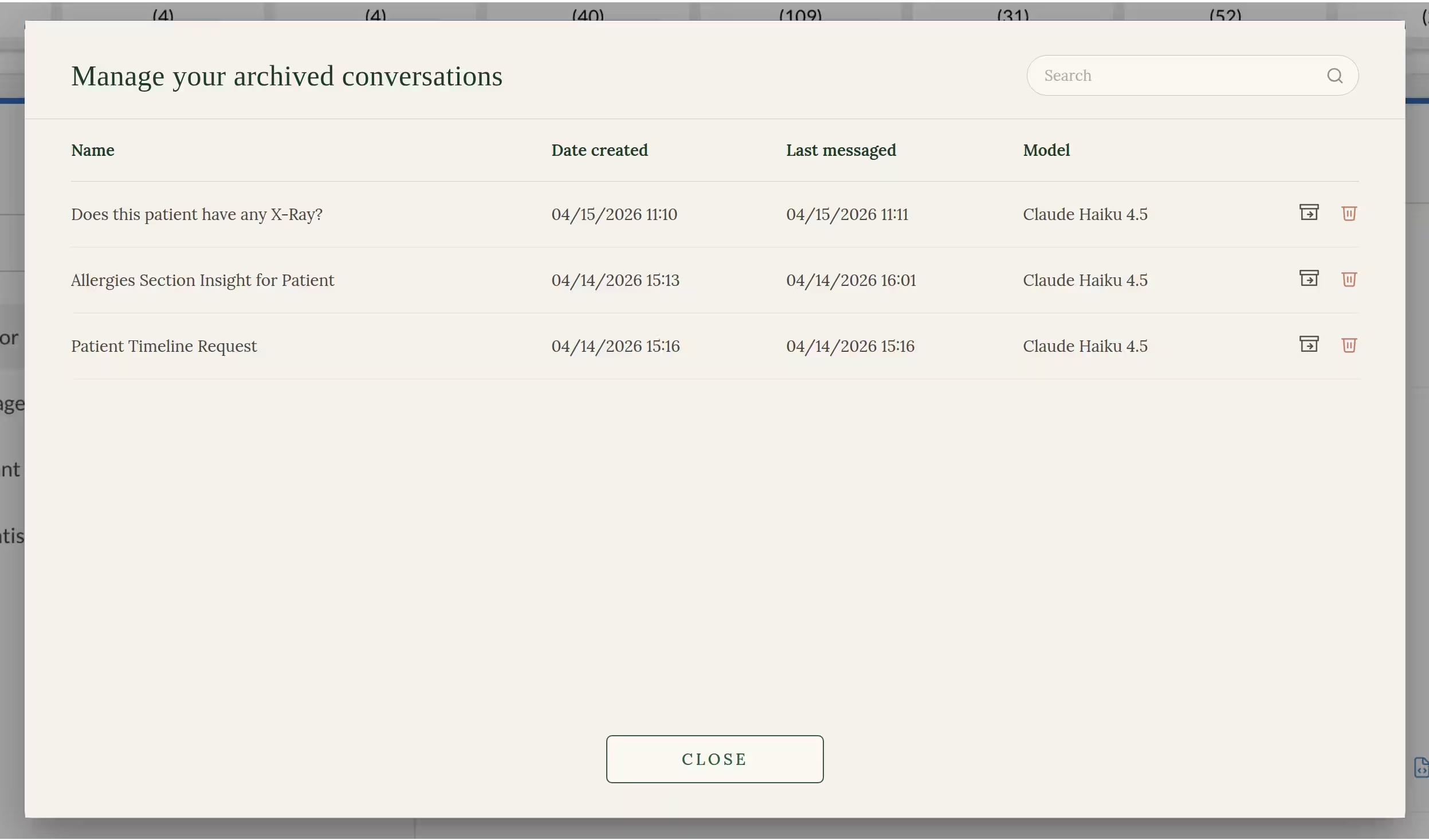
Archiving
Archived conversations are never lost. They live in a dedicated space where you can search, restore or permanently delete them whenever you need to.
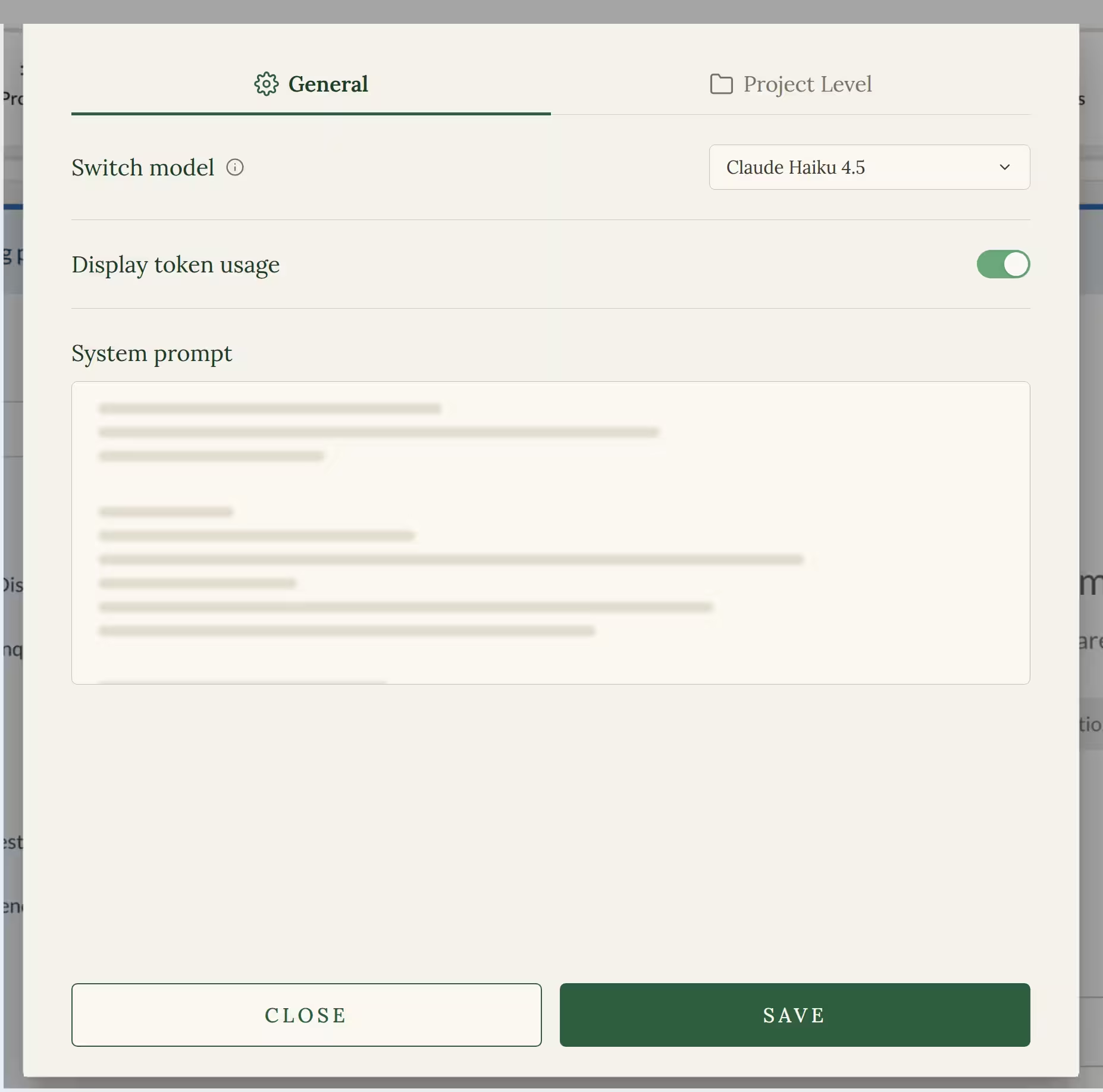
Settings & System Prompts
For teams that need consistency, Settings give administrator-level staff members full control. You can switch between AI models, toggle token usage display, and configure a system prompt that defines how your system behaves. All of these are configurable from the higher-end administration, and can easily be updated and managed in the future, with addition of new models, settings, and system prompts.
Under the Hood
On the backend side, we use AWS Bedrock for all our AI needs. Each request runs through a RAG-based tool-calling loop, and the model doesn't get the whole record dumped into its context. It decides what it needs and asks for it.
It can list the structured sections available, pull a full section for broad review, or run a hybrid vector and text search across everything we have on that patient — CSV exports, PDFs, scanned notes, lab reports, ECGs, X-rays, etc. All embedded and indexed in a Postgres vector database (pgvector), unified into a single searchable index. Every chunk carries its source file reference with it, and the backend resolves every referenced source back to an actual patient file, so the UI can open the exact document the AI pulled from.
Healthcare data is deidentified during ingestion, encrypted at rest, and tenant-isolated, end to end. Every tool call respects the same patient scoping the UI does — the AI never sees a patient it shouldn't.
On the frontend side, the interface is built with Vue 3 and Vuetify, keeping the experience fast, responsive, and consistent across all devices, whether you're on a desktop or mobile screen. Responses are streamed character by character, using a custom typewriter animation, making the AI feel alive and conversational, rather than just returning blocks of text. All AI-generated content is sanitized and custom-styled before it reaches the screen. In a healthcare environment, nothing unexpected can ever surface in the UI.
The entire pipeline is built to HIPAA standards. Encryption covers both data at rest and in transit, and no tool call can ever cross patient or tenant boundaries.
Results
A single project holds more than 1,114 patients, over 444,000 patient files, and more than 1.8 million clinical notes available for retrieval. On average, each patient has around 1,700 notes tied to their record, though some carry as many as 17,000. Without proper scoping, finding the right piece of information would be close to impossible.
Beyond the structured data, the assistant also works with a wide range of unstructured files. There are over 81,000 of them in this project alone, including PDFs, HTML reports, TIFF scans, JPGs, plain text files, and PNG images. The average patient has around 85 of these connected to their record, while the heaviest cases carry over 1,200.
What this means in practice is simple. The assistant operates over hundreds of thousands of files and millions of clinical notes within a single project, and still returns a cited, patient-scoped answer in under five seconds. That is the bar.
Frequently Asked Questions
Is the assistant HIPAA-compliant?
Yes. The assistant runs inside the client's existing HIPAA-compliant infrastructure and enforces a strict privacy rules block that prevents output of person-level identifiers.
How does it prevent hallucinations?
Two layers:
- Patient-scoped retrieval — the assistant only works with documents belonging to the patient currently being viewed.
- Strict system prompt — restricts answers to what is supported by the provided data and requires every claim to be accompanied by a cited source file.
Why Claude Haiku 4.5 instead of a larger model?
Because the heavy lifting doesn't happen in the model, it happens in the pipeline. By the time the model gets involved, our RAG layer has already deidentified, embedded, indexed, and surfaced the exact chunks relevant to the question. The model isn't reasoning over a haystack — it's writing up a clean summary of pre-filtered, highly relevant context.
That changes what you optimize for. Raw intelligence matters less when retrieval is already precise. Speed matters more: clinical staff are asking questions mid-workflow and waiting on an answer. Haiku 4.5:
- Returns first tokens in 3–4 seconds, the threshold at which clinical staff stop waiting and context-switch away.
- Scales cheaply across millions of records.
- Is more than capable for what we're actually asking it to do.
Bigger isn't better here. Right-sized is.
Can the assistant see across multiple patient records?
No. The retrieval layer is strictly scoped to the currently viewed patient, by design.
What happens if a cited source is wrong?
Staff click the citation, open the underlying document in the preview panel, and decide. The assistant is a time-saver on top of the record, not a replacement for it.
How long does it take to build a HIPAA-compliant AI assistant for healthcare?
For this project, roughly three months end to end — from initial design and planning, through development, internal testing, and QA, to production deployment. The realistic timeline accounts for other tasks and adjacent requirements jumping in along the way, which is normal in any active healthcare platform. The heavy lifting happens in the retrieval and compliance layers, not in model training. Once those are right, integrating the model and shipping to clinical staff is the fastest part of the build.
Why context-aware AI matters in healthcare?
In most industries, a wrong answer from an AI is an inconvenience. In healthcare, it can be a patient safety incident.
AI in healthcare isn't about replacing clinical judgement. It's about giving the people who make those judgements faster, more reliable access to the information they need. As the feature grows, so will the ways it can support clinical staff across every part of their workflow.
Healthcare has always been about people. AI, when done right, keeps it that way.